 Amplia
Louder audio, with a limiter always in the chain.
Amplia is a volume booster and equalizer for Android. It lifts the sound already coming out of your phone. From 0 to 75%, Amplia keeps a limiter in the chain (where your phone allows it) and is tuned to stay clean: the loud parts are reined in instead of clipping. Above 75% is the Maximum zone: it compresses harder, so speech and quiet content get louder while music may change little, and slight distortion may occur — we would rather tell you than pretend otherwise.
Get it onGoogle PlayFree to use, with no ads. Pro's monthly and yearly plans start with a free trial for new subscribers.
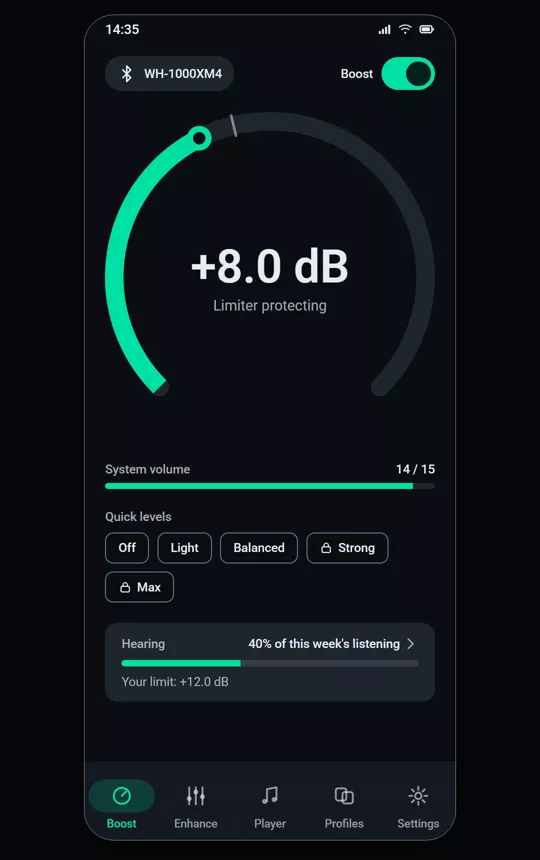
An honest dial, drawn to scale
The dial runs from 0 to 100%. That number is the dial's position — not a promise that the sound gets that much louder, and never a multiplier. If your phone refuses part of the boost, the dial shows it and the app tells you why.
Free users can try the Maximum zone: 3 previews a day, up to 5 minutes each. The Maximum zone compresses harder: speech and quiet content get louder, music may change little, and it may distort a little. Android lets manufacturers block effects on the system-wide sound; where that happens, Amplia says so plainly and offers its own player, where the boost is guaranteed to work.
What is free, and what Pro adds
Free
- The dial from 0 to 75%, with the limiter on
- Try the Maximum zone: 3 previews a day, up to 5 minutes each
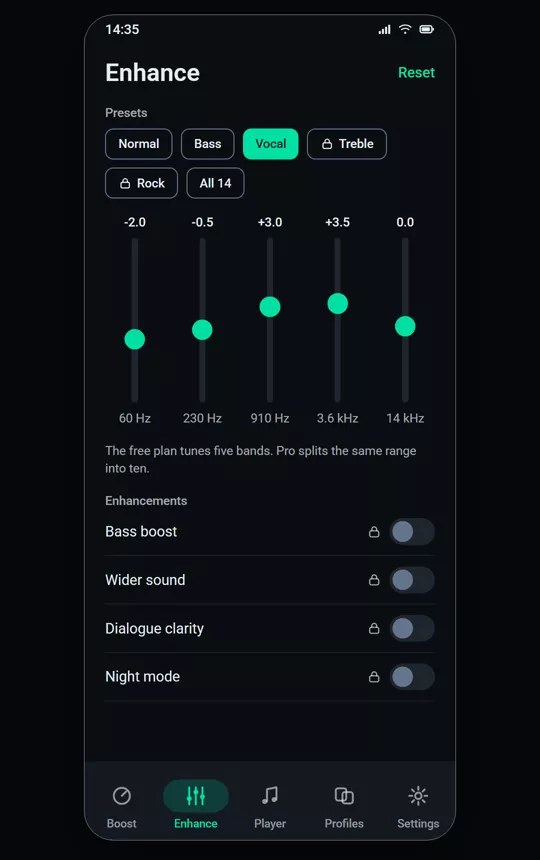
- A 5-band equalizer and three presets
- One saved preset of your own
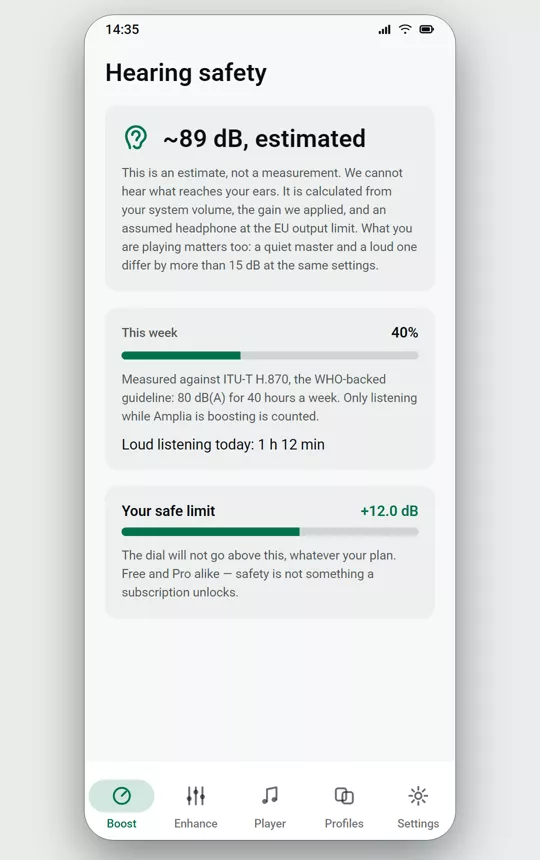
- Hearing-safety tracking and your own safe ceiling
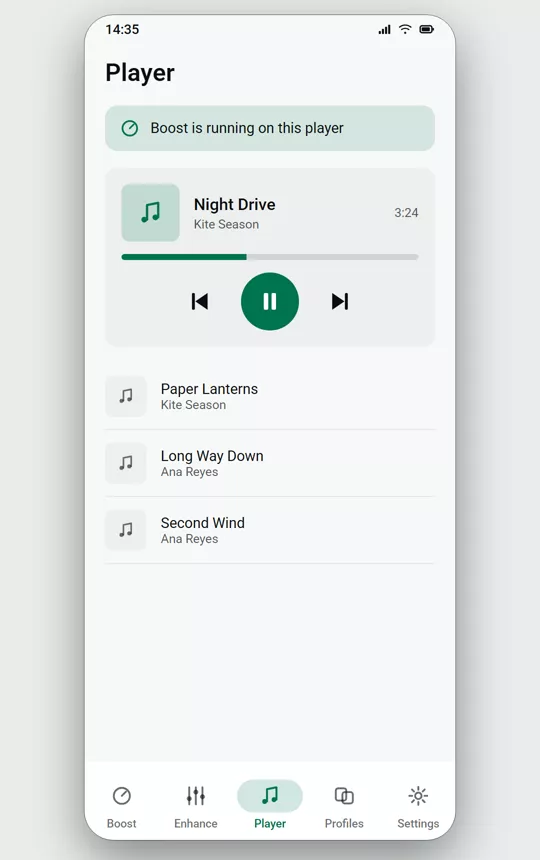
- The in-app player, for devices where system-wide effects are blocked
Pro
- Maximum mode (75–100%): harder compression for speech and quiet content; slight distortion may occur
- A 10-band equalizer and all 14 presets
- Unlimited saved presets
- Bass boost, virtualizer, dialogue clarity and night mode controls
- A separate setting for each output that switches by itself when the output changes
- Home screen widget and Quick Settings tile
Pro is a weekly, monthly or yearly subscription, or a one-time lifetime purchase. The monthly and yearly plans start with a free trial for new subscribers: the app shows how many days before you buy, and Amplia reminds you at least a day before the first charge. Prices are shown in the app for your country. Locked presets play in full for thirty seconds before a price is mentioned. The subscription screen opens only when you tap it, with one exception: some new installations see a plan screen once, right after the introduction, with “Continue with the limited version” at the bottom.
Inside the app
The details
- Works with what you already play
- Amplia lifts the sound the system is already mixing, so there is nothing to import and no library to rebuild. Music, video, podcasts, speakerphone calls and games, on wired headphones, Bluetooth, USB audio or the phone speaker.
- Shaped for your output
- The phone speaker, wired headphones and Bluetooth each get their own sound shaping. The first time you connect headphones, Amplia asks once which ones they are and shapes the sound for them; you can change this any time in Settings.
- An equalizer built in
- Fourteen presets cover rock, pop, jazz, classical, hip hop, dance, metal, acoustic, podcast, gaming and more, and every band is yours to move by hand. Add bass boost when a track sounds thin, or dialogue clarity to bring voices forward.
- Hearing safety, free
- Amplia tracks your exposure against the WHO / ITU-T H.870 guideline and shows an estimated listening level, clearly marked as an estimate, because measuring it exactly would need microphone access the app does not ask for. You can set your own ceiling on the free version too.
- Control what is playing
- With optional notification access, the boost screen shows what is playing in another app and offers play, pause, skip and seek. No notification content is read.
- No ads
- There have never been any and there will not be. Nothing interrupts you while you are adjusting the sound.
- Privacy
- No account, no sign-in, no advertising ID, no microphone permission, nothing recorded about what you listen to. Anonymous usage analytics (Google Firebase Analytics, and Mixpanel in its EU data region) help improve the app; they are on by default and you can switch them off at any time in Settings. If you buy Pro, the purchase is verified by RevenueCat. The privacy policy has every detail.
- 14 languages
- English, Türkçe, Español, Português (Brasil), العربية, Deutsch, Français, Русский, हिन्दी, Bahasa Indonesia, Tiếng Việt, ไทย, 日本語 and 한국어, including right-to-left layout.